iOSUA - Myanmar Teams မွ iOS ႏွင့္ပတ္သက္ေသာ သတင္းမ်ား Apps မ်ား နည္းပညာအခ်က္အလက္မ်ားကိုမွ်ေဝေပးသြားမွာပါ

Wednesday, April 5, 2017

Geekbench 4

ဒီ App ကေတာ႕ April 10 ရက္ေန႕အထိ Free ေပးမွာျဖစ္ပါတယ္ iOS Users တိုင္းရွိသင္႕တဲ႕(မရွိမျဖစ္) App စာရင္းေတြထည္းမွာလည္းပါပါတယ္ ဒီ App ကိုသံုးျပီးေတာ႕ကို႕ Device ရဲ႕Model,OS,Processor,Motherboard အေၾကာင္းေတြကိုသိနိုင္သလိုCPU,GPU ပိုင္းေတြရဲ႕ ျမန္နွဳန္း လုပ္ေဆာင္နိုင္စြမ္းေတြကိုလည္းတိုင္းတာလို႕ရပါတယ္ တိုင္းတာျပီးထြက္လာတဲ႕ Result မ်ားကိုလည္းအေသးစိတ္ေဖာ္ျပေပးနိုင္ပါတယ္ ဒါအျပင္ကို႕ Devices နဲ႕ တျခား Devices ရဲ႕ CPU ျမန္နွဳန္းေတြကိုလည္း ဒီ App ကိုသံုးျပီးေတာ႕ နိွုင္းယွဥ္လို႕ရပါတယ္


Read More

Monday, April 3, 2017

Ms. Pac-Man in Google Maps

သိျပီးၾကျပီလား Google Maps App မွာ ms.pac-man ေဆာ႕လို႕ရေနျပီေနာ္
ျမန္မာနိုင္ငံရဲ႕ Location ေပၚမွာေတာ႕ေဆာ႕လို႕မရေသးပါဘူး ေဆာ႕မယ္ဆိုရင္တျခား နိုင္ငံ Location ေပၚမွာေဆာ႕ရမွာပါ ကဲစမ္းေဆာ႕ၾကည္႕လိုက္ပါအံုး


Read More

Sunday, April 2, 2017

How To Downgrade iOS Version

iOS အသစ္ထြက္တိုင္း error ေလးေတြအနည္းငယ္ပါေလ႕ရွိပါတယ္ အဲ႕ဒီ error ေတြကိုမၾကိဳက္လို႕အရင္ version ျပန္သံုးခ်င္တဲ႕Users မ်ားအတြက္ေနာက္ျပီးေတာ႕ အရင္ iOS version မွာ Jailbreak ရျပီအခု iOS version မွာေတာ႕မရေသးဘူး အဲ႕ဒါေၾကာင္႕အရင္ iOS version ျပန္ဆင္းခ်င္သူမ်ားအတြက္
iOS Version Downgrade လုပ္နည္းေလးပါ။
ဒီရက္ပိုင္းမွာလဲ iOS 10.2.1 မွာ Jailbreak ရေတာ႕မယ္လို႕သတင္းေတြထြက္ေနတဲ႕အတြက္ Downgrade လုပ္ခ်င္တဲ႕လူေတြ Apple ကေန iOS 10.2.1 ကို sign out မလုပ္ခင္Version ျပန္ဆင္းထားဖို႕လိုပါတယ္။ကဲအခု iOS 10.3 ကေန iOS 10.2.1 ကိုျပန္ဆင္းၾကည္႕ရေအာင္။
Downgrade လုပ္မယ္ဆိုရင္ေတာ႕ backup ယူလို႕မရပါဘူး ဘာလို႕မရလဲဆုိရင္ iOS 10.3 မွာယူထားတဲ႕ Backup Data ေတြကို iOS 10.2.1 version မွာျပန္ restore လုပ္လို႕မရပါဘူး
Backup Data မ်ားဟာ Backup ယူထားတဲ႕ Device နဲ႕တူတဲ႕ iOS Version ဒါမွမဟုတ္ သူထက္ျမင္႕တဲ႕ iOS version မွာပဲအလုပ္လုပ္တာပါ အဲ႕ဒါေၾကာင္႕မလို႕ iOS 10.3 က Data မ်ားကို iOS 10.2.1 မွာျပန္ထည္႕လို႕မရပါဘူး
တကယ္လို႕ကိုက iOS 10.3 or iOS 10.3 ထက္ျမွင္႕တဲ႕ Version ျမွင္႕ဖို႕ရွိတယ္ဆိုရင္ေတာ႕ Data မ်ားကို backup ယူထားပါ
Data backup and restore လုပ္နည္းကို ဒီမွာ >How to back and restore your data မွာတင္ထားပါတယ္။

Downgrade လုပ္ဖို႕အတြက္ iTunes lastese version ထည္႕ထားတဲ႕PC(Computer) Or Mac လိုပါတယ္။ေနာက္ျပီးေတာ႕ iOS 10.2.1 IPSW လိုပါတယ္။internet လိုင္းအတင္႕အသင္႕ေကာင္းဖုိ႕လိုပါတယ္။

PC or Mac အဆင္သင္႕ျဖစ္ျပီးဆိုရင္ အရင္ဆံုး ကို႕ iDevices ရဲ႕ iOS 10.2.1 IPSW File ကိုေဒါင္းပါ။

Download ဆြဲျပီးတာနဲ႕ IPSW File ကို Desktop ေပၚမွာတင္ထားပါ။ စျပီးေတာ႕ Downgrade စလုပ္လို႕ရပါျပီ ေအာက္မွာတစ္ဆင္႕ခ်င္းျပထားပါတယ္
အရင္ဆံုး ဖုန္းကို iTunes နဲ႕Connect လုပ္ပါ။
iTunes နဲ႕ခ်ိတ္သြားတာနဲ႕ Restore iPhone ကို Window ဆို Shift,Mac ဆို Option Key နဲ႕တြဲဖိျပီေတာ႕ ခုဏက Desktop ေပၚမွာတင္ထားတဲ႕ iOS 10.2.1 IPSW File ကိုေရြးျပီး open ေရြးလိုက္ပါ
ျပီးဒါနဲ႕ Restore လုပ္ေနပါလိမ္႕မယ္ ျပီးသြားရင္ေတာ႕iOS 10.2.1 ကိုေရာက္သြားပါလိမ္႕မယ္ :)

ကဲ Downgrade လုပ္တတ္သြားျပီမလား ကိုယ္တိုင္လုပ္ၾကည္႕ပါလြယ္ပါတယ္ 
Read More

Real Racing 2 For Mac


ဒီရက္ပိုင္း iOS Game ၾကီးေတြဆက္တိုက္ထြက္ေနတဲ႕အတြက္ macOS ဖက္မလွည္႕ျဖစ္တာပါ :)
ကဲအခု macOS Users ေတြအတြက္ Racing Game ေတြထည္းမွာ နာမည္ၾကီး Game တစ္ခုျဖစ္တဲ႕
Real Racing 2 ျဖစ္ပါတယ္ သေဘာက်မယ္လို႕လဲထင္ပါတယ္ macbook,iMac ေတြနဲ႕ Racing Game ေဆာ႕ရတဲ႕ Feel ကေတာ႕ေတာ္ေတာ္ေလးမိုက္ပါတယ္ :) ကဲေအာက္မွာ Link ေပးထားတယ္ေနာ္
ေနာက္လည္းဒီလို mac အတြက္ Game ေတြတင္ေပးအံုးမွာပါ

How To install

လြယ္ပါတယ္ download link က dmg file ေလးကိုဆြဲျပီးတာနဲ႕ double click နိွပ္ပါ


ျပီးရင္ real racing 2 ကို application folder ထဲဆြဲထည္႕ပါ
အားလံုးအဆင္ေျပပါေစ :)
Read More

Goat Simulator

စိတ္ထိန္းၾကမယ္အဲ႕မွားလို႕ ;)ဆိတ္ထိန္းတဲ႕ Game ေလးတစ္ခုပါ ဒီGame ကိုအရင္က Play Station,XBox မွာအရင္စေဆာ႕လို႕ရခဲ႕ျပီးေတာ႕Mobile Game အျဖစ္ App Store မွာ $4.99 နဲ႕ေရာင္းခ်ခဲ႕တာပါ အခုဒီေန႕မွာေတာ႕ free ခဏထားပါတယ္ ေဆာ႕ခ်င္တဲ႕Users မ်ား free ရတုန္းဆြဲထားၾကပါ


Read More

Thunderspace

မိုးေတြသည္းၾကီးမဲၾကီး ရြာတဲ႕ညေတြဆို အိပ္လို႕ေကာင္းတယ္ဟုတ္ ဒါေပမဲ႕အဲ႕လိုညေတြကရဖို႕ခဲရင္းလာပါျပီ (ခုမုန္တိုင္းက်ေနေတာ႕သိပ္မခဲရင္းဘူးေပါ႕ ကဲ ဒီ app ေလးကေတာ႕ ညတိုင္းမိုးေတြရြာ မိုးေတြျခိမ္းေစမဲ႕ feeling ေလးကိုရေစမဲ႕ app ေလးပါဒီ app ေလးကိုဖြင္႕ နားၾကပ္ေလးတပ္ျပီးေတာ႕မိုးေတြရြာေနတဲ႕ညေလးကို ဖန္တီးပလိုက္ပါ 


Read More

Saturday, April 1, 2017

iPhone မွာ Full Screen( Screen အျပည္႔ပံု)ဓါတ္ပံုရိုက္နည္း

ဒီေမးခြန္းေလးကို တစ္ခါတစ္ခါျမင္ျမင္မိလို႕မသိေသးတဲ႕ Users ေတြအတြက္ရည္ရြယ္ျပီးတင္လိုက္တာပါ
က်ေနာ္တို႕ iPhone နဲ႕ဓါတ္ပံုရိုက္တဲ႕အခါက်ေနာ္တို႕ရဲ႕ iPhone Photo မွာ Screen အျပည္႕ပံုမေပၚပါဘူးဟုတ္တယ္ဟုတ္။camera setting မွာကိုက ဓါတ္ပံုရုိက္ရင္ TIME-LAPSE,SQUARE,PHOTO,VIDEO,SLO-MO & PANO ပဲပါတာပါ Full Screen ဆိုတာမပါပါဘူးအဲ႕ဒီအတြက္ ဘယ္တစ္ခုနဲ႕ပဲရိုက္ရိုက္ screen အျပည္႕မေပၚပါဘူး။
Screen အျပည္႕ေပၚခ်င္ရင္ေတာ႕ လြယ္ပါတယ္ တကယ္လြယ္လြယ္ေလးပါ camera ထည္းက video ထည္းကိုဝင္လိုက္ပါ video စရိုက္လိုက္တာနဲ႕Full Screen ျဖစ္ေနပါလိမ္႕မယ္ video ရိုက္ေနရင္းနဲ႕ဘယ္ဖက္ေဘးလးနားက camera icon ေလးနဲ႕ရိုက္လိုက္တာနဲ႕ Full Screen ေပၚမွာျဖစ္ပါတယ္ :)
Full Screen အျပည္႕ေပၚတဲ႕ ပံုမ်ားဟာတျခား photo,square နဲ႕ရိုက္တဲ႕ပံုေတြထက္ပံုထြက္အရည္အေသြးေတာ႕နိမ္႕ပါတယ္
ေအာက္မွာလဲပံုေတြနဲ႕တကြေဖာ္ျပထားပါတယ္ :)
 SQUARE

SQUARE နဲ႕ရိုက္ထားေသာပံု


 PHOTO

PHOTO နွင္႕ရိုက္ထားေသာပံု


 VIDEO ကိုဖြင္႕ေဘးကဟာေလးနဲ႕ရိုက္


ပံုအျပည္႕ေပၚေနပါလိမ္႕မယ္ 
အားလံုးအဆင္ေျပၾကပါေစ!
Read More

Cover Fire

Action Game ထည္းကမွ စစ္တိုက္ရတဲ႕ဂိမ္းအဲ႕ထည္းကမွ offline ဂိမ္းေတြကိုမွၾကိဳက္တဲ႕ iOS Users မ်ားအတြက္ Cover Fire!
2017 မွာထြက္ခဲ႕တဲ႕ Best Sniper Game ေတြထည္းမွာလဲ Top Ten ဝင္ခဲ႕တဲ႕ Game တစ္ခုပါ။
အခု Admin ေဆာ႕ေနတာေတာ႕ေတာ္ေတာ္ေလးေဆာ႕လို႕ေကာင္းပါတယ္ ကဲေအာက္က Trailer ေလးကိုၾကည္႕ျပီးေဆာ႕ခ်င္သြားရင္ Download သာဆြဲပလိုက္
ဒီရက္ပိုင္းအတြင္းမွာလည္း page က Users ေတြကို iTunes Gift Card မဲေဖာက္ေပးဖို႕စီစဥ္ထားပါေသးတယ္ Page ကို See First သာလုပ္ထားပါ ;)


Read More

Friday, March 31, 2017

Gangstar New Orleans: Online Open World Game

WTF!
Gangster Nwe Orleans Game ၾကီး US Store ေပၚမွာေရာက္ေနျပီတဲ႕ ေဘာ္ဒါတို႕ေကာသိျပီးျပီလား
အရင္ကေဆာ႕ဖူးတဲ႕ Gangster Game ၾကီးေတြလိုပဲ လံုးဝအလန္းစားဂိမ္းတစ္ခုျဖစ္မွာေသခ်ာပါတယ္
wifi  နဲ႕download ဆြဲပါ
Read More

Dynasty Warriors: Unleashed

ဒီ ဂိမ္းကို အခုေခတ္ကေလးေတြသိခ်င္မွသိလိမ္႕မယ္ ဒါေပမဲ႕က်ေနာ္တို႕ 90 Born ေတြကေတာ႕ရည္လည္သိမွ ေသခ်ာတယ္ :p
က်ေနာ္တို႕ ေက်ာင္းသားဘဝတုန္းက ဂိမ္းဆိုင္မွာသြားေဆာ႕ဖူးတဲ႕ ဂိမ္းတစ္ခုပါ :)
ဂိမ္းအေၾကာင္းကိုေဆာ႕မေျပာေတာ႕ပါဘူး
အေပၚကပံုေလးကိုၾကည္႕လိုက္တာနဲ႕မွတ္မိမွာပါ ဒါကဘာဂိမ္းလဲ ငါတို႕ငယ္ငယ္တုန္းကဘယ္လိုေဆာ႕ခဲ႕တာလဲဆိုတာကို ;) Size ကေတာ႕ေတာ္ေတာ္ၾကီးပါတယ္ Wifi နဲ႕ဆြဲမွအဆင္ေျပမွာပါ


Read More

Thursday, March 30, 2017

How to use Night Shift on your Mac


လြန္ခဲ႕တဲ႕ရက္ပုိင္းကမွထြက္ထားတဲ႕ Sierra macOS 10.12.4  မွာစျပီးေတာ႕Night Shift Mode ကို Mac Device ေတြမွစျပီးထည္႕ေပးခဲ႕ပါတယ္။
Night Shift Mode ကေတာ႕ Apple Crazy ေတြအတြက္အသစ္အဆန္းေတာ႕မဟုတ္ပါဘူး။ iOS 9.3 ကေနစျပီး 64bit သံုးထားတဲ႕ iPhone,iPad ေတြမွာစသံုးခဲ႕တဲ႕ Night Shift Mode ကို အခု Mac ေတြမွာပါသံုးလို႕ရေအာင္ အခု macOS အသစ္မွာထည္႕သြင္းထားေပးပါတယ္။iOS တုန္းကလိုပဲ Night Shift Mode ကို 64 bit ေတြကိုပဲ Support ေပးခဲ႕သလိုမ်ိဳးပါပဲ macOS မွာလည္း Night Shift Mode ကို Support ေပးတဲ႕ Mac & Display ေတြလည္းရွိပါေသးတယ္။
Nifht Shift ကို Support ေပးထားတဲ႕ Mac ေတြကေတာ႕
MacBook (Early 2015 or newer)
MacBook Air (Mid 2012 or newer)
MacBook Pro (Mid 2012 or newer)
Mac mini (Late 2012 or newer)
iMac (Late 2012 or newer)
Mac Pro (Late 2013 or newer) ေတြပဲျဖစ္ျပီးပါတယ္။
 တကယ္လို႕ ကိုရဲ႕ Mac ကိုတျခား TV ေတြနဲ႕ခ်ိတ္ထားခဲ႕ရင္လည္း Display အမ်ိဳးအစားေပၚမူတည္ျပီး Night Shift Mode ကအလုပ္လုပ္တာပါ။
Night Shift Mode Support ေပးတဲ႕ Display ေတြကေတာ႕
Apple LED Cinema Display
Apple Thunderbolt Display
LG UltraFine 5K Display
LG UltraFine 4K Display ေတြပဲျဖစ္ပါတယ္။

Night Shift ရဲ႕အသံုးဝင္ပံု

Night Shift ဆိုတာ....
အမ်ားစုေလ့လာ စမ္းသပ္ခ်က္မ်ားအရ ညဦးယံ၌ေတာက္ပေသာအျပာေရာင္အလင္းနဲ႔ထိေတြ႕ျခင္းဟာ သင့္ရဲ့ခႏၶာကိုယ္ထဲက Circadian rhythms(Sleeping Disorder) ေတြကိုထိခိုက္ေစႏိုင္ပါတယ္ မ်က္လံုးေၾကာင္ၿပီး အိပ္ေပ်ာ္ဖို႔ခက္တာေတြကို ေတြ႕ၾကံဳ ခံစားႏိုင္ပါတယ္ ဒါေၾကာင့္မို႔ Night Shift ကို မိတ္ေဆြတို႔ က်န္းမာေရးတြက္ အသံုးျပဳသင့္ပါတယ္ ညဘက္ေတြမွာ Night Shift ရဲ႕ အသံုးဝင္ပံုကေတာ့ ကိုယ္ရွိေနတဲ႔ တည္ေနရာရဲ႕ ေနဝင္ခ်ိန္ေတြ ၿပီးေတာ့ ကိုယ္လိုခ်င္တဲ႔ Night Shift Timer ေတြကို ခ်ိန္ညွိလို႔ရပါတယ္။ (System Preferences>>Display >>Night Shift.)devices ေတြမွာ Geolocation ကို အသံုးျပဳထားပါတယ္ ထိုအခါကအလိုအေလၽွာက္သင့္ရဲ႕မ်က္စိေပၚမွာၾကည့္ရတာ ပိုမိုလြယ္ကူေအာင္ Visible Spectrum ရဲ႕ အေရာင္စဥ္၏ပူေႏြးေစတဲ႔ အလင္း display ကိုအတြက္အေရာင္မ်ားကို Geolocation နဲ႔အညီ အလိုအေလွ်ာက္ ခ်ိန္ေပးပါတယ္။ မနက္မွာဆိုရင္ေတာ့ သူ႕ရဲ႕ ပံုမွန္ Settings ကို Display မွာ Auto ျပန္ပိတ္သြားပါတယ္ ဒါကေတာ့ Setting ထဲမွာ ကိုယ္တိုင္ခ်ိန္လို႔ရပါတယ္။ Night Shift အေၾကာင္းကို က်ေနာ္ သိသေလာက္ေလး မွ်ေဝလိုက္ပါတယ္။ Night Shift ကို မိတ္ေဆြတို႔ မ်က္လံုး၊မ်က္လံုးအာရံုေၾကာအလႊာ၊ေက်ာက္ကပ္၊ စိတ္ဖိစီးမႈ႕ေလ်ာ့နည္းၿပီး ေကာင္းစြာ အိပ္စက္ႏိုင္ကာ ေကာင္းသာအိပ္မက္ေလးမ်ားမက္ဖို႔ ညတိုင္း သံုးလိုက္ရေအာင္။

ကဲတင္ျပီးရင္စမ္းသံုးၾကည္႕ရေအာင္ ေအာက္မွာ Night Shift Mode on/off လုပ္ပံုကိုတစ္ပံုခ်င္းျပထားပါတယ္
System Preferences>Displays


Go Night Shift 


Night Shift Mode ကို ကိုထားခ်င္တဲ႕ အခ်ိန္ေတြထားဖို႕အတြက္ Custom,ညေနပိုင္းကေနမနက္အထိထားခ်င္ရင္ Sunset to Sunrise ဆိုျပီးေရြးလို႕ရပါျပီ။


Custom မွာ ကိုၾကိဳက္တဲ႕ Schedule ကိုထားလို႕ရပါတယ္။


ဒါကေတာ႕ ေနေရာင္မရွိတဲ႕အခ်ိန္ေတြမွာ Night Shift Mode on ခိုင္းတာပါ။


System Preferences ထည္းကေန မဖြင္႕ခ်င္ရင္ Siri ကေနလည္း Night Shift အဖြင္႕အပိတ္လုပ္လို႕ရပါတသးတယ္ :)


 Night Shift Turn off 


Night Shift Turn Off


Read More

Lake Coloring Books: Art therapy to reduce stress

ပန္ခ်ီဆြဲဝါသနာရွင္ေတြအတြက္ သင္႕ေတာ္ျပီး app store မွာ Editor Choice ရထားတဲ႕ App ေလးတစ္ခုပါ

Description

Color yourself happy! De-stress with a vibrant collection of coloring books from Instagram artists, offered exclusively on Lake. There is plenty of FREE content to start with: daily drawings plus a free illustration with every coloring book. Coloring books come with 12 beautiful drawings that you can color over and over, plus a custom color palette. Lake is designed for adults, but is also a lot of fun for kids!

Release your inner happy while supporting artists. Browse through profiles to get to know them and their work. Choose from a wide variety of illustrations that sparks your creativity, including calming mandalas, cute florals, quirky beings, whimsical patterns, beautiful European cities, friendly animals, and more.

FEATURES
- One free illustration a day
- 5 piece tool set: acrylic brush, watercolor brush, spray, fill, and an eraser
- Harmonious colors: gradient color wheel with 245 hues
- Tap-to-fill coloring option
- History palette shows previously used colors
- Color inside the lines
- Zoom in/out
- Manageable number of coloring surfaces
- New coloring books added continuously
- Works offline
- Apple Pencil and 3D Touch support
- Instantly save your drawings
- Quick sharing and print options

FEATURED ARTISTS
Look for lovely creations by: Maja Säfström (@majasbok), Nina Stajner (@ninastajner), Katrin Wiehle (@katrinwiehle), Carlos Perez (@light_pencil), Laura Uy (@artandsoulcreativeco), Victoria Johnson (@victoriajohnsondesign), Skaiste Kodyte (@opopulis), Laura Blythman (@laurablythman), Nelleke Verhoeff (@redcheeksfactory), Elizabeth Olwen (@elizabetholwen), Walid Rusdianto (@mbeembee).

Can't find your favorite illustrator? Let us know: info@lakecoloring.com

SUBSCRIPTION INFO
By subscribing to Lake Premium you get unlimited access to all featured artists, coloring books and custom color palettes. By subscribing you also support the artists on a regular basis.

Good to know:
- you can subscribe to a yearly plan ($39.99 billed once a year), a monthly plan ($7.99 billed once a month) or a weekly plan that comes with a free 7 day trial ($2.99 billed once a week after the free trial expires). Pricing may vary in countries other than the U.S.
- the payment will be charged to your iTunes Account when you confirm the purchase.
- the subscription automatically renews for the same price and duration period as the original one weekly/monthly/yearly plan unless auto-renew is turned off at least 24-hours before the end of the current period.
-weekly free trial automatically converts to a paid weekly subscription (at $2,99) unless auto-renew is turned off at least 24-hours before the end of the trial period. From that point onwards, subscription automatically renews unless auto-renew is turned off at least 24-hours before the end of the current period.
- you can cancel the subscription or the free trial anytime via the subscription setting through your iTunes account. Do it at least 24 hours before the end of the free trial or subscription period to avoid being charged. Learn more: http://support.apple.com/kb/ht4098
- you may turn off the auto-renewal of your subscription via your iTunes Account Settings. You are not able to cancel the current subscription during its active period.
- any unused portion of a free trial period will be forfeited when the user purchases a Lake Premium subscription.
- cancel your free trial or subscription trial by going to your device settings and tap iTunes & App Store > Apple ID > View Apple ID > enter the password > Subscriptions > Assembly > Cancel Subscription button at the bottom.

Terms of Service: http://lakecoloring.com/termsofservice/
Privacy Policy: http://lakecoloring.com/privacypolicy/


Have something to tell us? Go ahead, we are happy to hear from you!
Email: info@lakecoloring.com
Instagram: @lakecoloring
Twitter: @lakecoloring or
Find us on facebook.com/lakecoloring

Enjoying Lake?
Write a review! We read them all and listen carefully. Thank you LOADS for your input! <3

Read More

Theater Mode on the Apple watchOS 3.2

Apple watch users မ်ား watchOS 3.2 ကိုတင္ျပီးၾကျပီလား :)
တင္ျပီးျပီဆိုရင္ အရင္ os ေတြထက္တိုးလာတာတစ္ခုရွိပါတယ္ အဲ႕ဒါကေတာ႕
#Theater Mode လို႕ေခၚတဲ႕Function ပါ
watch ေအာက္က control center ေလးကိုဆြဲတင္လိုက္တာနဲ႕ theater masks icon ကိုေတြ႕ရမွာပါ
အဲ႕ဒါေလးကို On လိုက္တာနဲ႕ Watch ဟာ Silent Mode ျဖစ္သြားပါလိမ္႕မယ္
ျပီးရင္ watch ရဲ႕ Screen ဟာအရင္လို ကိုၾကည္႕ခ်င္လို႕ လက္ကိုကို႕ဘက္ကိုလွည္႕လိုက္ရင္ လင္းလာမွာမဟုတ္ပါဘူး တကယ္လို႕နာရီၾကည္႕ခ်င္ရင္ Screen ကို Tap လုပ္ ဒါမွမဟုတ္ေဘးက Digital Crown,Power Button ကိုနိွပ္လိုက္တာနဲ႕ရပါတယ္။
ဒီ Function ကဘယ္အတြက္ရည္ရြယ္ျပီးထုတ္ထားလဲဆိုတာကို စာေရးသူအျမင္ဘက္ကေရးရရင္ ဒါဟာ ရုပ္ရွင္ရံုထည္းမွာရုပ္ရွင္ၾကည္႕ေနတဲ႕အခ်ိန္ အစည္းအေဝးခန္းထဲမွာ presentation လုပ္ေနတဲ႕အခ်ိန္စတဲ႕အလင္းေရာင္ေမွာင္ေနတဲ႕အခ်ိန္မွာ ကို႕နာရီကထြက္လာတဲ႕ အလင္းေရာင္ေၾကာင္႕တျခားသူစိတ္အေနွာက္အယွက္မျဖစ္ရေအာင္ ကာကြယ္ေပးတဲ႕အေနနဲ႕ ထည္႕ထားတယ္လို႕ယူဆရပါတယ္။။ဒီ Function ကတျခားေနရာေတြမွာလည္းအသံုးတည္႕နိုင္မွာပါ။

Read More

Wednesday, March 29, 2017

ဒီေန႕ Facebook မွာတိုးလာတဲ႕ Function အသစ္မ်ား

ဒီေန႕မွာ Facebook App မွာပံုစံေတြေျပာင္းသြားတယ္ဆိုတာကို အားလံုးလည္းသတိထားမိမွာပါ
Facebook App ေလးကိုစဖြင္႕လိုက္တာနဲ႕
ဒီလို ဘယ္ဖက္မွာ Camera iconေလးျဖစ္ေနျပီးေတာ႕ညာဖက္မွာ Messenger iconေလးျဖစ္ေနပါတယ္ 
Messenger iconေလးထည္းဝင္လိုက္ရင္ Messenger App ထည္းကိုတန္းေရာက္သြားမွာျဖစ္ပါတယ္ အရင္လို facebook ထည္းကေန ဘယ္သူေတြ Active ျဖစ္ေနလည္းဆိုတာကိုေတာ႕ၾကည္႕လို႕ရမွာမဟုတ္ေတာ႕ပါဘူး ေနာက္ျပီးေတာ႕ Messenger App ထည္းမွာလည္း တစ္ေယာက္နဲ႕တစ္ေယာက္ပို႕ထားတဲ႕စာေတြကို Reactions ေတြေပးလို႕ရေနပါျပီ သတိထားမိၾကလားဗ် 


အဲ႕လိုေလးေတြကိုရဲ႕ခ်စ္သူနဲ႕ Crush နဲ႕စကားေျပာထားရင္သူရဲ႕စာေတြကို reactions ေပးလို႕ရေနျပီေနာ္ 
ဒါကေတာ႕ ညာဖက္မွာပါတဲ႕ Messenger icon ေလးရဲ႕ထူးျခားခ်က္ေပါ႕ ကို ႕ messenger ကအဲ႕လိုမျဖစ္ေသးရင္ ဖ်က္ျပီးေတာ႕ အသစ္ Download ျပန္ဆြဲပါ


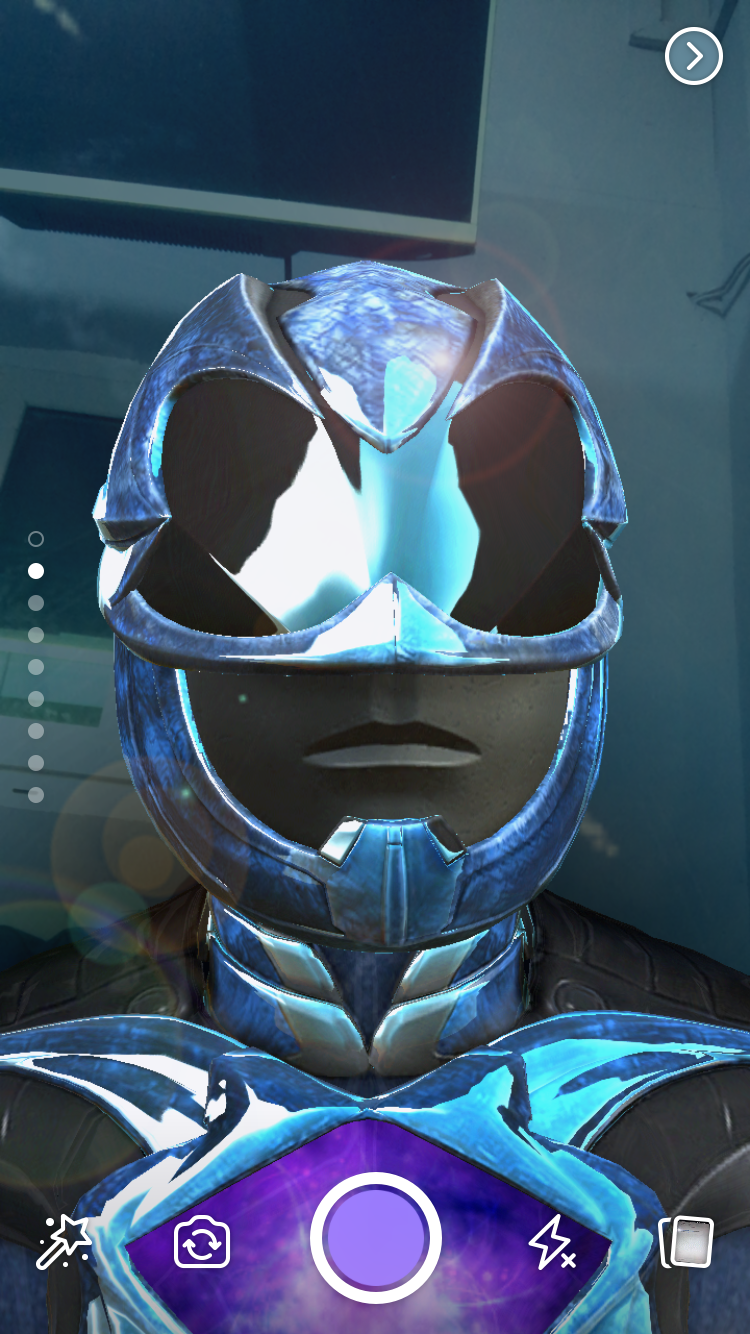
အခုဘက္ဖက္မွာပါတဲ႕ Camera icon ေလးကိုဝင္လိုက္ရင္ေတာ႕ ကိုရဲ႕ပံုေတြကို Effect ေတြမ်ိုးစံုရိုက္လို႕ရတဲ႕ camera တစ္ခုထည္းေရာက္သြားပါလိမ္႕မယ္ 


ကိုၾကိဳက္တဲ႕ Effect နဲ႕ရိုက္ျပီးရင္ facebook ေပၚတင္မလား တစ္စံုတစ္ေယာက္ကိုပို႕မလားေမးပါလိမ္႕မယ္ၾကိဳက္သာသာလုပ္ပါ  :)
အဲ႕ဒီ facebook camera သံုးပံုေလးကိုေအာက္က Video file ထည္းမွာဝင္ၾကည္႕နိုင္ပါတယ္


Read More